
Guide
Can you CNC machine an STL file?
Can you CNC an STL file? In some cases, yes, but an STL describes the shape only as triangles, and machining works from faces, holes and tolerances. The usual route is to convert the STL to a STEP file, check it, and send the STEP with a note of what matters.
STL, OBJ, PLY, 3MF or AMF · in millimeters
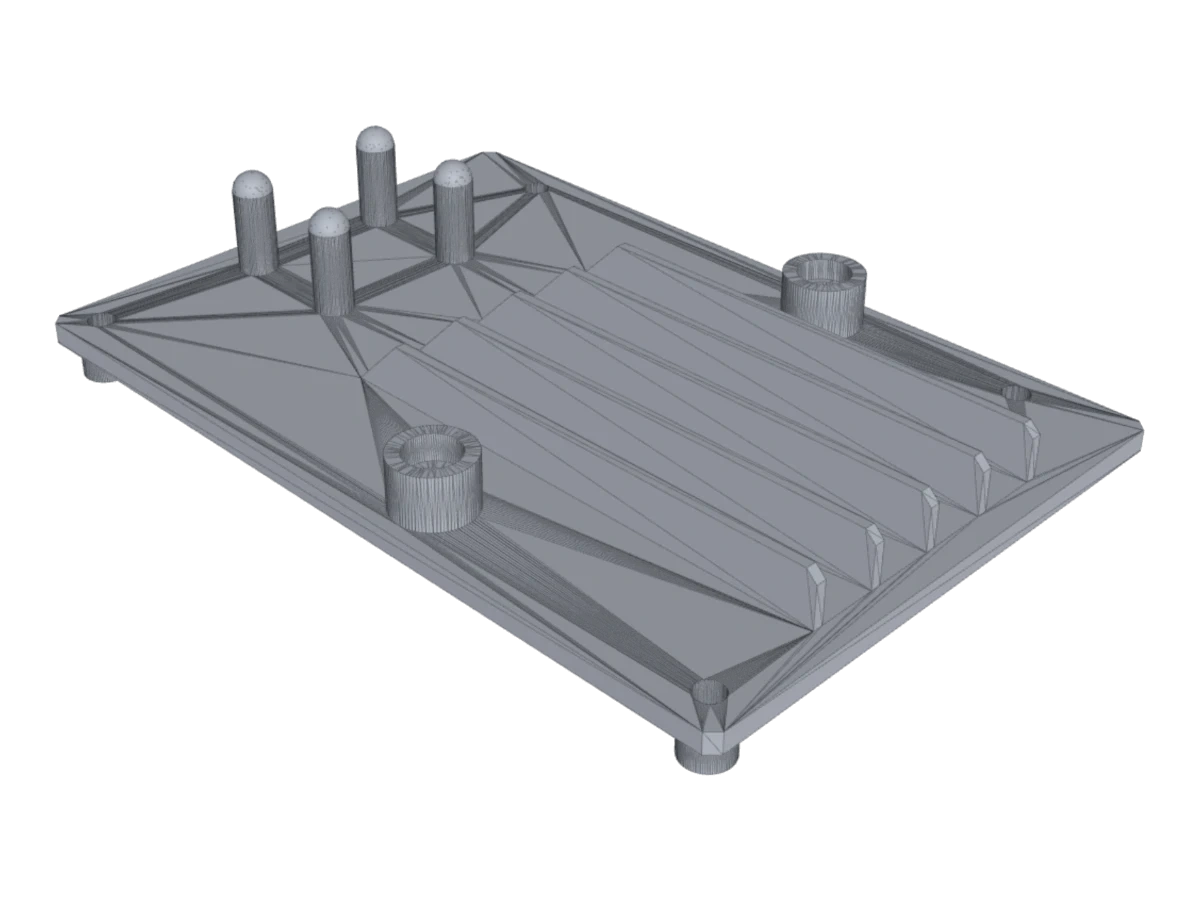 Before
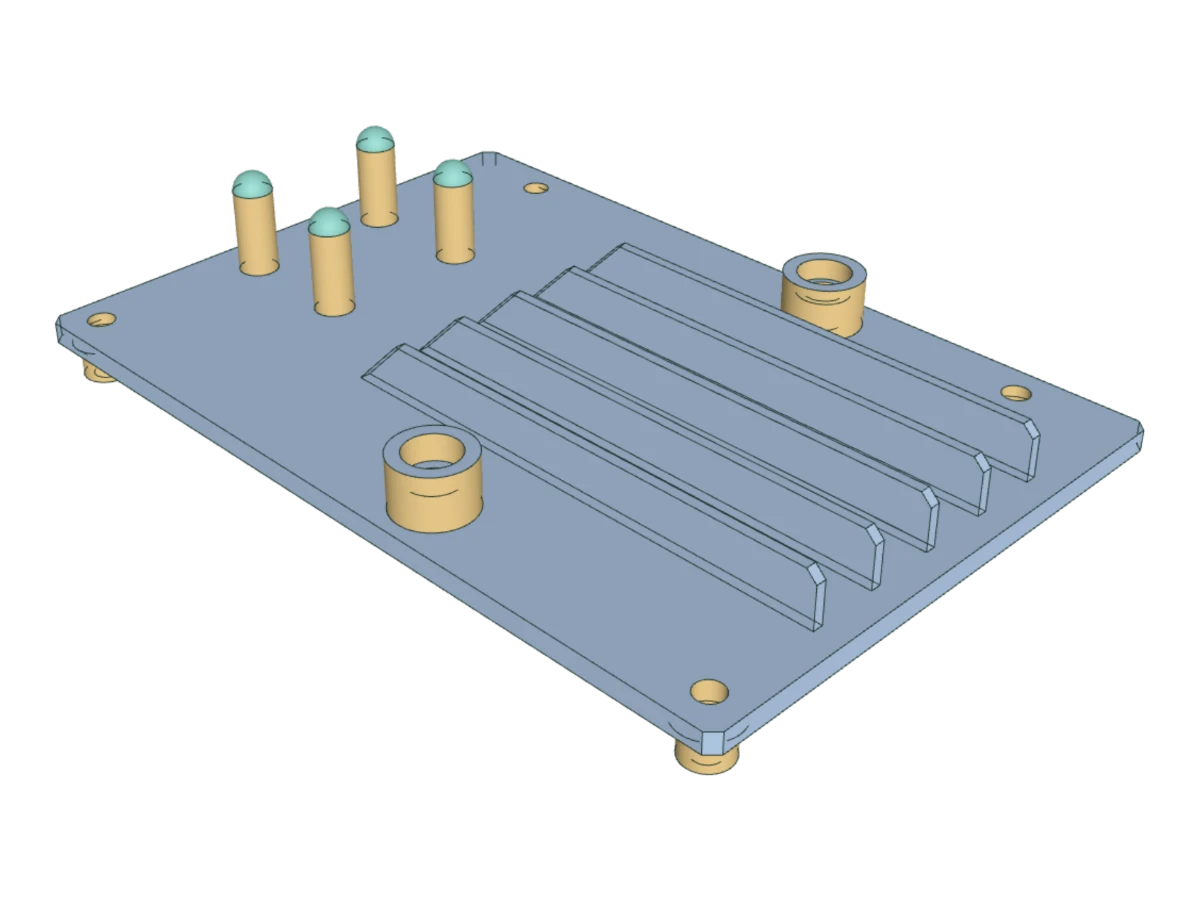 After
What a CNC job needs
A machine shop works from a model it can measure and program a tool path on.
- Faces and holes you can recognizeA hole should be a cylinder with a diameter, and a flat side should be a plane. In an STL they are only groups of triangles.
- TolerancesA shop needs to know which dimensions matter and by how much. An STL has no units and no tolerances.
- A solid modelThe tool path is built on solids or surfaces. The precision of a mesh is limited by the size of its triangles.
STL and STEP for machining
| STL | STEP | |
|---|---|---|
| Holes and flat faces | Groups of triangles | Cylinders and planes your CAD recognizes |
| Units | None stored in the file | Stored in the file |
| Use in machining | Needs conversion first | Opens in CAD and CAM |
An STL works as it is for 3D printing. The full comparison is in STL vs STEP.
From STL to a STEP a shop can quote
Find out where the STL came from
Exported from CAD software, or from a scan or a sculpting program? That decides the mode.
Convert it to STEP
In the OperGo Surface STL to STEP converter, choose CAD part for a part drawn in CAD, so holes and flat faces come out as exact cylinders and planes. Choose Closed part for a scan or a free-form shape, which comes out as a smooth solid.
Check the deviation before you download
Look at the map of where the result departs from your mesh and at the maximum deviation. Viewing is free at every quality.
Measure it in your CAD
Open the STEP and measure the dimensions that matter: hole diameters, distances between holes, wall thickness. Compare them with your drawing or with the real part.
Send the STEP with your notes
Add what the file cannot say: material, quantity and the tolerances that matter. The list below helps.
What to have ready before you ask for a quote
- The STEP fileChecked in your CAD, at the right size.
- Material and quantityThe shape alone does not say what the part is made of or how many you need.
- TolerancesOnly on the dimensions that matter: fits, bores, mating faces. A drawing or a short note is enough.
- ThreadsA thread in a mesh is only shape. Write down the thread size and where it goes.
- FinishSurface finish or treatment, if the part needs one.
Getting the part made
OperGo is custom manufacturing with in-house engineers. Once you have the STEP, you can request a quote for the part you just converted.
Questions about CNC and STL files
Can a CNC machine read an STL file?
Some CAM software accepts a mesh, but the result depends on how fine the triangles are, and the file carries no holes or tolerances. A STEP file is the usual format to machine from.
How do I convert an STL for CNC machining?
Convert it to STEP, open it in your CAD and check the dimensions. Pick CAD part when the part was drawn in CAD software, and Closed part for a scan or a free-form shape.
Can I machine a part from a 3D scan?
Once it is converted to a solid and you have checked the dimensions that matter. The scan sets the shape, but it does not know the original tolerances. The guide 3D scan to CAD covers what to expect.
Does the STEP file keep my part exactly as it was?
It follows your mesh, and the maximum deviation is shown before you download. A mesh limits what can be recovered: its precision depends on the size of its triangles.
Do I need a drawing as well as the STEP?
For a simple part, a STEP and a short note may be enough. When some dimensions must hold a tolerance, or the part has threads, a drawing or a marked-up note tells the shop what the STEP cannot.
Related guides
Convert STL to STEP
Convert STL to STEP online. Smooth surfaces, and exact planes and cylinders on CAD parts, not one flat face per triangle. Check the result before downloading.
STL vs STEP
STL vs STEP: an STL is a list of triangles that describes only the surface shape; a STEP holds exact surfaces and solids a CAD can measure and edit.
3D scan to CAD
3D scan to CAD in plain terms: what a scanner gives you, which mode fits your scan, how to prepare it, and how to check the STEP you get.
Faceted vs smooth STEP
Faceted vs smooth STEP: a faceted STEP has one flat face per triangle. Check your file in a minute and learn how to get smooth surfaces instead.
STL to solid in SolidWorks
STL to SolidWorks: open an STL as a solid body, use Surface From Mesh or ScanTo3D. What each gives you, where it stops, and how to fix the usual problems.
STL to solid in Fusion 360
Fusion 360 mesh to solid: convert an STL with Convert Mesh, pick the right method, and fix the usual failures (surface body, compute failed).
Get your STL ready for a shop
Convert it to STEP and see the result in 3D first. Viewing is free at every quality.