
Guide
STL vs STEP: what is the difference?
STL vs STEP comes down to this: an STL file is a list of triangles that describes only the shape of a surface, while a STEP file describes exact surfaces and solids that a CAD program can measure and edit. Use STL to print; use STEP to machine, edit, measure or send to a supplier.
STL, OBJ, PLY, 3MF or AMF · in millimeters
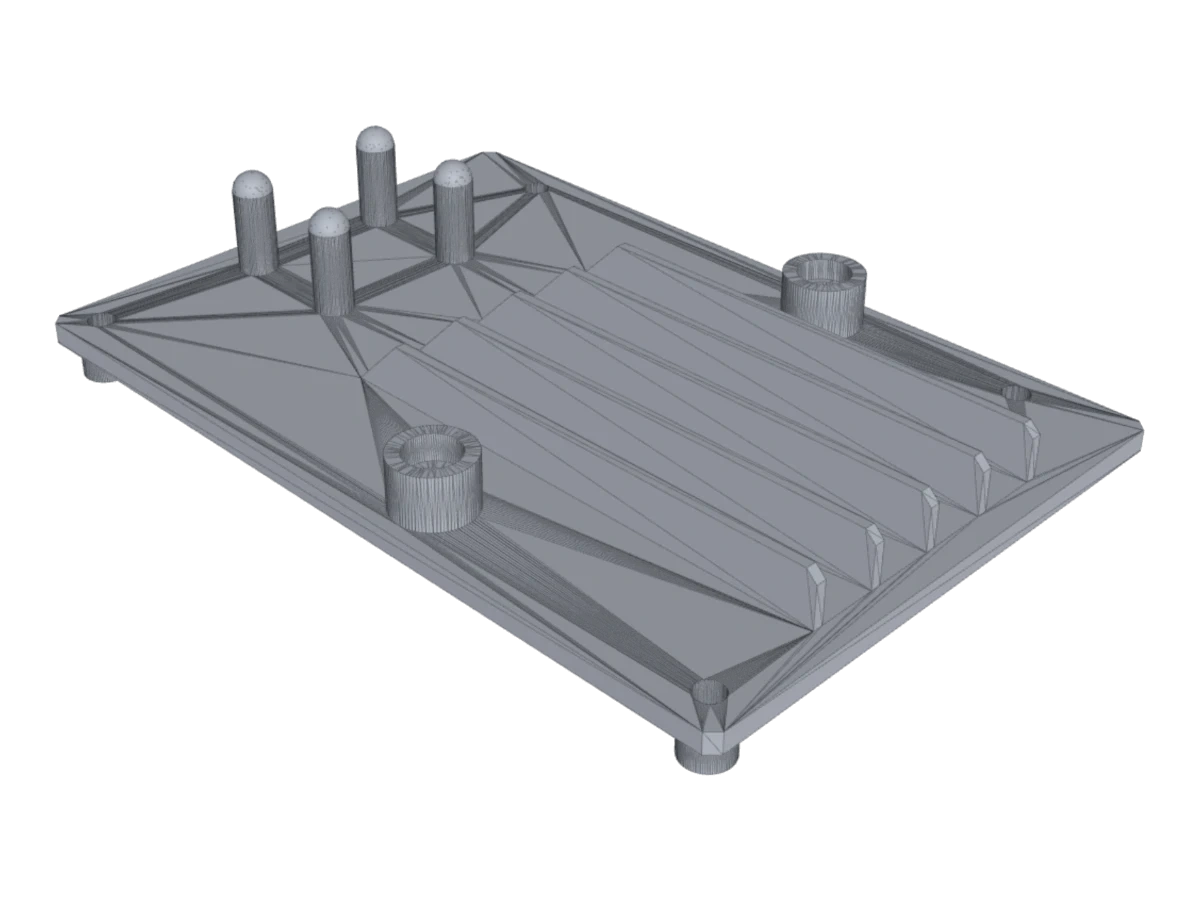 Before
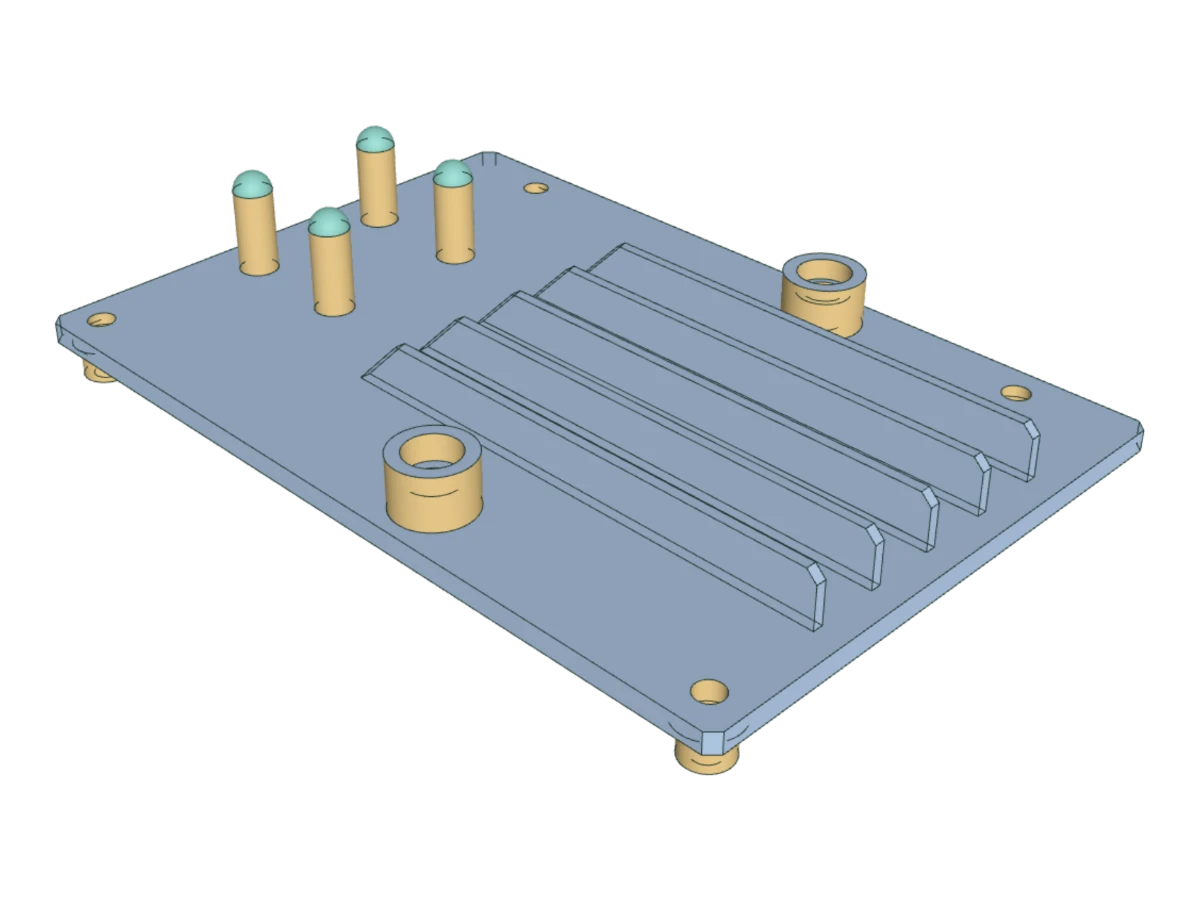 After
STL and STEP side by side
| STL | STEP | |
|---|---|---|
| What it stores | A list of triangles that covers the outside of the shape | Exact surfaces and solids: planes, cylinders, curved faces |
| Extension | .stl | .step or .stp (the same format) |
| A hole is | A band of small triangles, with no diameter of its own | A cylinder with a diameter you can read |
| Units | None stored; the program that opens it has to guess or be told | Defined in the file |
| How it looks in a CAD | A mesh: the CAD treats it as triangles, not as a solid | A solid or a surface made of faces you can select, measure and edit |
| Precision | Limited by the size of the triangles | Set by the surfaces themselves, not by triangles |
| What it is for | 3D printing, previews, scans | Machining, manufacturing, design changes, measuring |
These are general properties of the two formats, not of any one program.
Which one do you have? A one-minute check
- Look at the extension.stl, .obj, .ply, .3mf and .amf files hold meshes of triangles. A .step or .stp file holds surfaces, but it can still be one flat face per triangle inside.
- Click a curved area in your CADIf one whole face highlights, you have real surfaces. If you get a single triangle or a thin flat strip, you have a mesh or a faceted STEP.
- Measure a holeOn a STEP with exact faces the CAD gives you a diameter. On a mesh you can only measure between points or flat strips.
- Check the overall sizeIf the part is 25.4 times too small or too large, it was drawn in inches and read as millimeters, or the other way round. An STL does not say which.
Why you cannot just rename the file
Changing the extension from .stl to .step does not change what is inside. The file still holds triangles, and a CAD program will either refuse it or read it as a mesh.
Getting from STL to STEP means building faces that are defined as surfaces. That is a reconstruction, not a change of format.
When to use each
- STL for 3D printingPrinting software reads triangles directly, so an STL is the usual way to send a part to a printer.
- STEP for machiningCNC work relies on solids and surfaces: faces, holes and tolerances. See can you CNC machine an STL file for what a shop needs.
- STEP to edit or measureIn a CAD program you can select a face, measure between faces and cut or add material on a STEP solid. On a mesh these operations are limited.
- STEP to share with a supplierIt is the common exchange format between CAD programs, so a manufacturer can open the geometry without extra steps.
Going from STL to STEP: three possible results
Not every STL to STEP conversion gives you the same file. Before you use a STEP, find out which of these you have.
| Result | What is inside | Good for |
|---|---|---|
| Faceted STEP | One flat face per triangle of the mesh | Reference and rough measuring; see faceted vs smooth STEP |
| Smooth surfaces | A solid of curved surfaces that follow the mesh | Scans, prints and free-form shapes |
| Exact faces | Planes and cylinders the CAD recognizes as such | Parts that were drawn in CAD in the first place |
None of the three is parametric: a STEP made from a mesh has no feature tree or design history.
Converting with OperGo Surface
The OperGo Surface STL to STEP converter reads STL, OBJ, PLY, 3MF and AMF files and gives you the second or the third result: smooth surfaces as a Closed part or an Open surface, and exact faces as a CAD part. You see the result in 3D over your mesh, with the maximum deviation, before you download.
Questions about STL and STEP
Is STEP better than STL?
Neither is better in general. STL is the right format for 3D printing and for scans. STEP is the right format when you want to measure, edit or machine the part.
Can I convert STEP to STL?
Yes, and it is the easy direction: exact surfaces only have to be covered with triangles, and most CAD programs export STL directly. STL to STEP is the hard direction, because the surfaces have to be rebuilt from triangles.
What is a .stp file?
A .stp file is a STEP file. The .step and .stp extensions are two spellings of the same format.
Does an STL file have units?
No. An STL stores numbers without saying whether they are millimeters or inches, so the program that opens it decides. OperGo Surface reads files in millimeters and has a switch, "Is your file in inches?", for parts drawn in inches.
Are OBJ, PLY and 3MF files like STL?
For this purpose, yes: all of them describe the shape as a mesh of triangles or polygons, with no exact surfaces. They need the same conversion to become a STEP.
Keep reading
Faceted vs smooth STEP
Faceted vs smooth STEP: a faceted STEP has one flat face per triangle. Check your file in a minute and learn how to get smooth surfaces instead.
Can you CNC an STL file?
Can you CNC an STL file? Sometimes, but an STL is only triangles. What machining needs, how to turn an STL into a STEP, and what to send for a quote.
3D scan to CAD
3D scan to CAD in plain terms: what a scanner gives you, which mode fits your scan, how to prepare it, and how to check the STEP you get.
3MF to STEP
Convert 3MF to STEP online. Upload your 3MF file, check the result in 3D against your mesh, and download a STEP your CAD can open.
OBJ to STEP
Convert OBJ to STEP online. Upload your OBJ file, check the result in 3D against your mesh, and download a STEP your CAD can open.
Convert STL to STEP
Convert STL to STEP online. Smooth surfaces, and exact planes and cylinders on CAD parts, not one flat face per triangle. Check the result before downloading.
Have an STL that needs to be a STEP?
Upload it, check the result in 3D against your mesh and download the STEP when you are happy with it.