
Guide
STL to SolidWorks: how to convert an STL to a solid
To bring an STL into SolidWorks as a solid, open it and choose solid body in the options of the Open dialog: you get one flat face per triangle. For planes, cylinders, cones and spheres there is Surface From Mesh, and for scans there is ScanTo3D, which is only in SolidWorks Premium.
STL, OBJ, PLY, 3MF or AMF · in millimeters
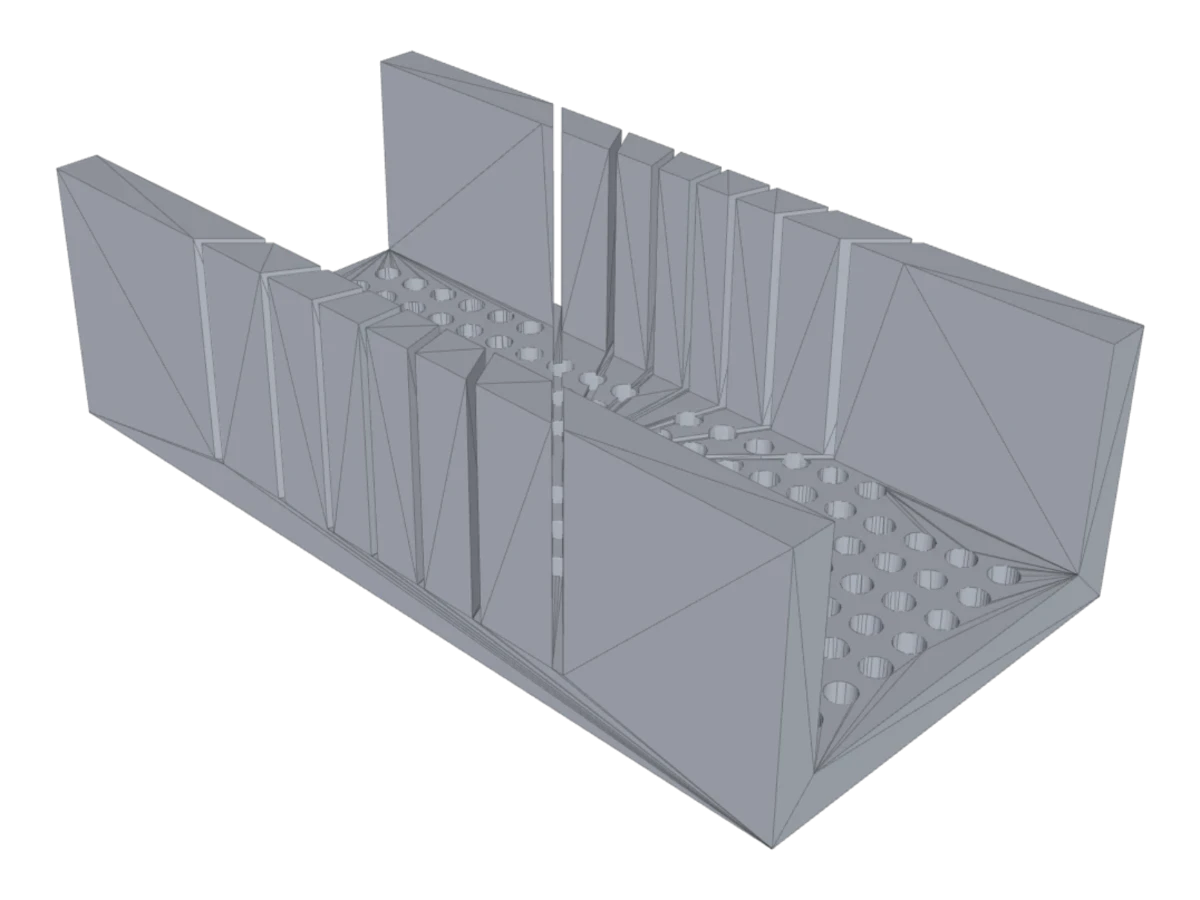 Before
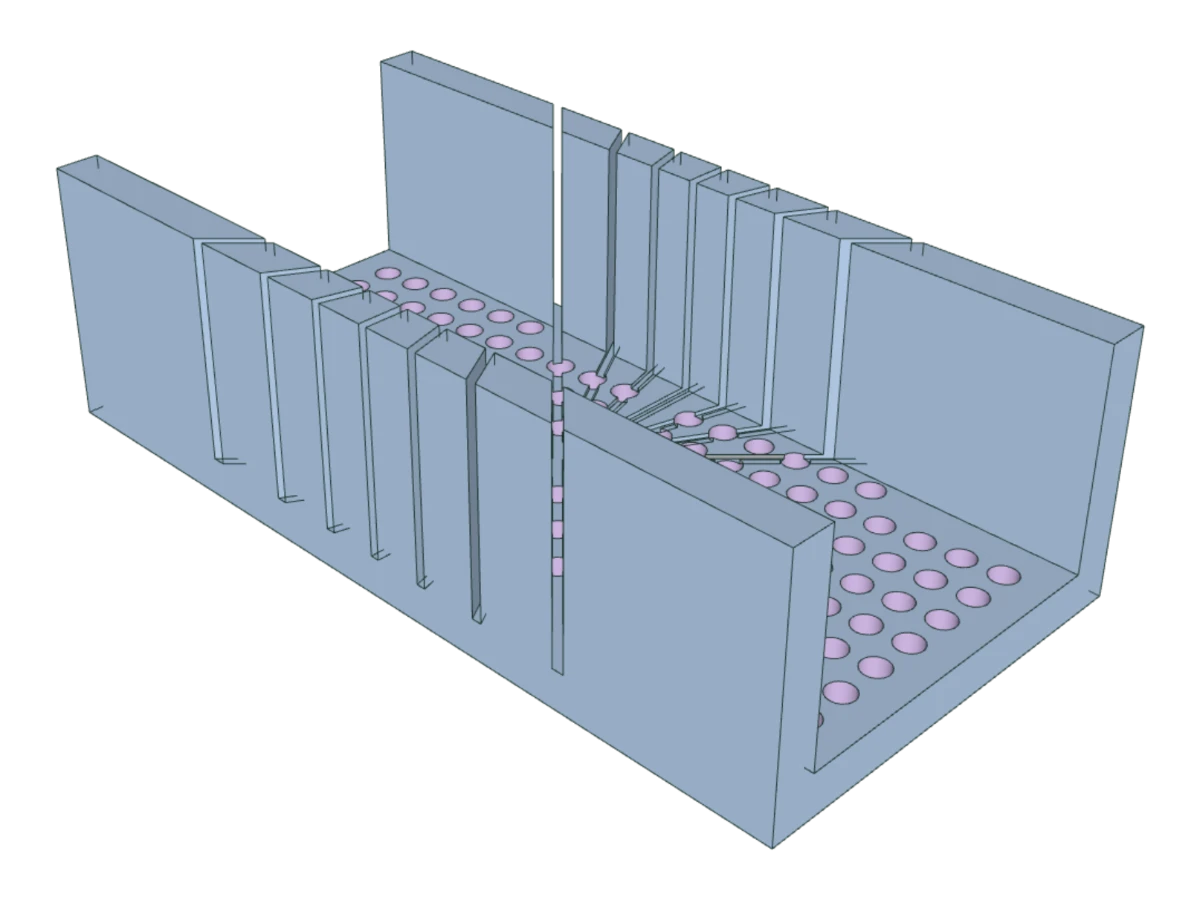 After
Three ways to get a solid from an STL in SolidWorks
| Way | When it fits | What you get | Where it stops |
|---|---|---|---|
| Open as solid body | You need a solid quickly, to measure, assemble or check fit. | A solid body with one face per triangle. | Heavy with many triangles; curves are made of flat faces. |
| Surface From Mesh | The part is made of regular prismatic geometry: planes, cylinders, cones and spheres. | Surfaces created from the mesh. | Not appropriate for very irregular meshes, such as a scan of an organic shape. |
| ScanTo3D | You have a scan and the license that includes it. | A surface or a solid created from the mesh. | Only available in SolidWorks Premium. |
Source: SolidWorks documentation. Menu names change between versions.
Open an STL as a solid body, step by step
Menu names change between versions, so look for the options by name.
Start to open the file
Use File, Open and choose the STL file. Do not open it yet.
Open the options of the dialog
In the options of the Open dialog, choose the type of body the file opens as: solid, surface or graphics. Pick solid body.
Open it and check the size
An STL has no units. Measure one known dimension: if the part is 25.4 times too small or too large, it was drawn in inches.
Check what you got
Click a curved area and look at the face count. Every triangle is a face, so a smooth shape becomes thousands of small flat ones.
Common problems and what to do
| What you see | Why | What to do |
|---|---|---|
| You see the part but cannot select its faces | It opened as a graphics body | Open it again and choose solid or surface body in the Open options |
| Thousands of faces and a slow model | Each triangle became a face | Reduce the mesh before opening it, or get a STEP with smooth surfaces |
| Surface From Mesh finds little on a free-form part | It is meant for planes, cylinders, cones and spheres | Use ScanTo3D if you have Premium, or convert the mesh to smooth surfaces |
| ScanTo3D is not there | It is only in SolidWorks Premium | Check which SolidWorks license you have |
| The part is 25.4 times off | The STL was drawn in other units | Scale the body by 25.4, or convert it with the units set right |
What you get from a direct import
In all the direct cases the result is a body with one face per triangle. You can measure and section it, but a cylinder is a band of flat strips, so there is no single cylindrical face to select or dimension. That is a faceted solid.
It is fine for checking fit or as a reference. It is not what you want if you are going to machine the part or change it.
When you need smooth surfaces or exact faces
If the part has curves you need to keep as curves, or it is a 3D scan, or you will machine it, you need surfaces and not triangles. The OperGo Surface STL to STEP converter returns a STEP with a solid of smooth surfaces (Closed part) or, for a part drawn in CAD, exact planes and cylinders that SolidWorks recognizes as such (CAD part).
Its STEP files have been checked by opening them in SolidWorks. Open the .step with File, Open like any STEP file: a Closed part or a CAD part comes in as a solid, an Open surface as a surface. On a CAD part, click a hole and you can read its diameter. You see the result against your mesh, with the maximum deviation, before you download.
Questions about STL to SolidWorks
Can SolidWorks open an STL as a solid?
Yes. When you open an STL, the options of the Open dialog let you choose between a solid body, a surface body and a graphics body. The solid body has one face per triangle.
Does ScanTo3D come with every license?
No. According to the SolidWorks documentation, ScanTo3D is only available in SolidWorks Premium.
What is Surface From Mesh for?
It is meant for meshes of regular prismatic geometry, such as planes, cylinders, cones and spheres. It is not appropriate for very irregular meshes, like a scan of an organic shape.
Is the result editable like a part I modeled?
Not in the same way. A body made from a mesh has no design history, whichever route you take, so there are no sketch dimensions to change. With exact faces you can still add and cut features on it; with one face per triangle there is little to work with.
Related guides
Convert STL to STEP
Convert STL to STEP online. Smooth surfaces, and exact planes and cylinders on CAD parts, not one flat face per triangle. Check the result before downloading.
Faceted vs smooth STEP
Faceted vs smooth STEP: a faceted STEP has one flat face per triangle. Check your file in a minute and learn how to get smooth surfaces instead.
STL vs STEP
STL vs STEP: an STL is a list of triangles that describes only the surface shape; a STEP holds exact surfaces and solids a CAD can measure and edit.
STL to solid in Fusion 360
Fusion 360 mesh to solid: convert an STL with Convert Mesh, pick the right method, and fix the usual failures (surface body, compute failed).
3D scan to CAD
3D scan to CAD in plain terms: what a scanner gives you, which mode fits your scan, how to prepare it, and how to check the STEP you get.
Can you CNC an STL file?
Can you CNC an STL file? Sometimes, but an STL is only triangles. What machining needs, how to turn an STL into a STEP, and what to send for a quote.
Need more than one face per triangle?
Upload your STL, check the result against your mesh for free, and download the STEP only if it is what you need.