
Guide
Fusion 360 mesh to solid: how to convert an STL
To turn a mesh into a solid in Fusion 360, insert the STL as a mesh body and run the Convert Mesh command. If the mesh is watertight it becomes a solid body; if it is not, you get a surface body. The method you choose (Faceted, Prismatic or Organic) decides how useful that body is.
STL, OBJ, PLY, 3MF or AMF · in millimeters
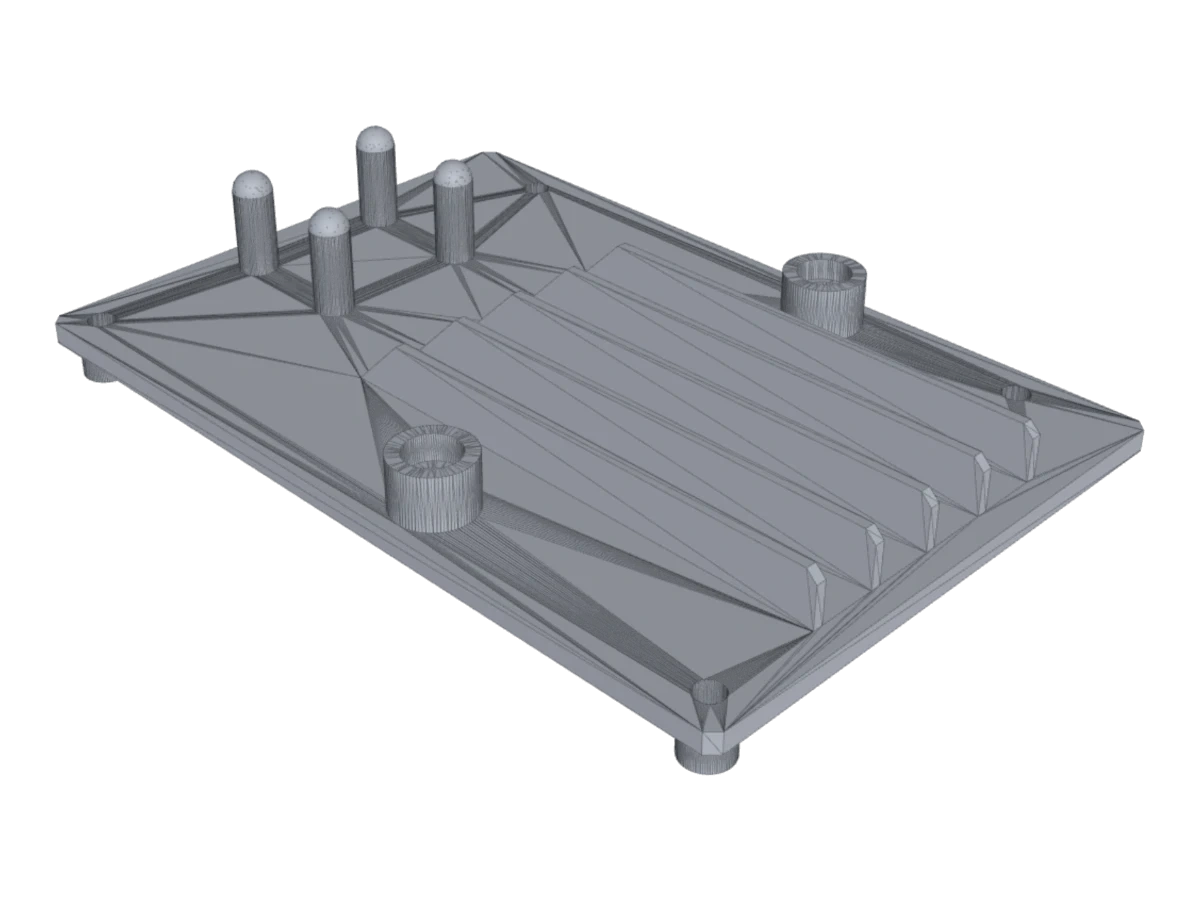 Before
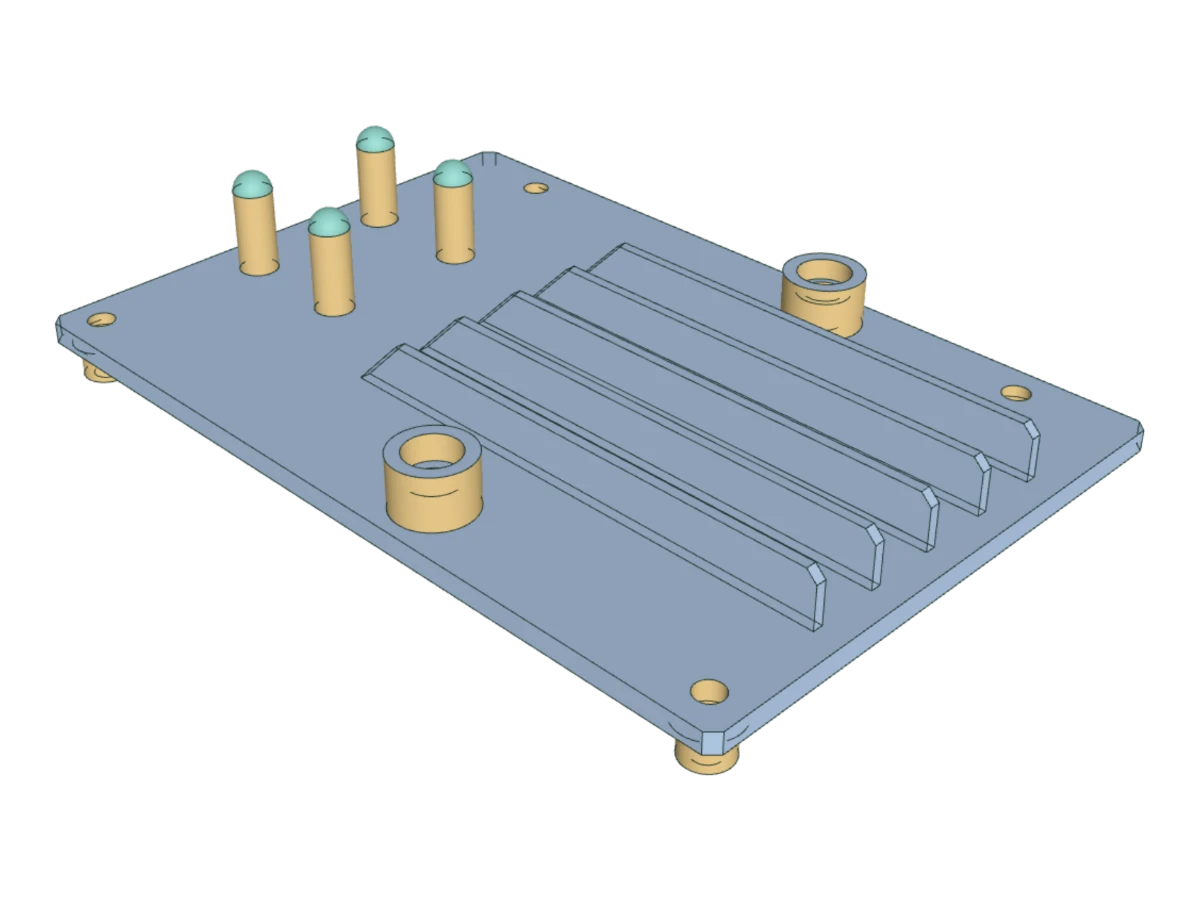 After
Convert an STL to a solid in Fusion 360, step by step
Menu names change between versions, so look for each command by name rather than by position.
Insert the mesh
Insert the STL as a mesh body and set the units on import. An STL has no units: a part drawn in inches and inserted as millimeters arrives 25.4 times too small.
Make sure the mesh is closed
A solid needs a watertight mesh, with no open boundaries. If there are holes, close them with the mesh repair tools first, or the result will be a surface body.
Generate face groups (for Prismatic)
Autodesk forum answers recommend generating face groups before converting, so the Prismatic method has regions to work with.
Run Convert Mesh
Convert Mesh is under Modify in the Mesh workspace. Choose Faceted, Prismatic or Organic, and whether the operation is Parametric or a Base Feature.
Check what you got
Look in the browser: a solid body or a surface body? Click a curved wall. If it highlights as a thin flat strip, the body is faceted.
Export as STEP if you need to
Export the body as STEP to take it to another CAD program or to a manufacturer. The STEP keeps the faces the conversion made.
The three Convert Mesh methods
Pick the method by the kind of part, not by habit.
| Method | What it does | Use it for |
|---|---|---|
| Faceted | Makes one face per triangle of the mesh. | A body that matches the mesh exactly, for reference. Autodesk warns it takes a long time above 10,000 faces. |
| Prismatic | Groups faces that belong to prismatic features. | Mechanical parts made of planes and cylinders, from a clean mesh. |
| Organic | Builds a body of organic shape. Requires the Design Extension. | Free-form shapes, if you have the extension. |
Source: Autodesk documentation. Names and options may differ in your version.
When Convert Mesh fails: symptom, cause, fix
| What you see | Likely cause | What to do |
|---|---|---|
| A surface body instead of a solid | The mesh is not watertight: holes, gaps or overlapping shells | Repair the mesh until it is closed and convert again |
| "Compute failed", or the conversion runs for a very long time | Too many triangles; users report it on heavy meshes | Reduce the mesh first, then convert |
| Prismatic gives you few useful faces | The shape is free-form, or there are no face groups | Generate face groups; for free-form shapes, use Organic or another route |
| Organic is not available | It requires the Design Extension | Check whether your license includes it |
| The part is 25.4 times too small or large | Wrong units on import | Insert the mesh again with the right units |
| Thousands of faces, slow to work with | The Faceted method keeps one face per triangle | See faceted vs smooth STEP |
Causes and fixes from Autodesk documentation and Autodesk forum answers.
When Convert Mesh is enough
It works well when the part is prismatic and the mesh is clean: a bracket, a plate or a housing made of planes and holes, exported from CAD in the first place. The mesh is closed, the triangle count is moderate, and Prismatic can group the faces into features you recognize.
It is also enough when all you need is a body to measure, to cut a section through, or to model over.
When it is not
It stops being enough with 3D scans, free-form shapes, very heavy meshes, or organic parts when you do not have the Design Extension.
Then you can upload the STL to the OperGo Surface STL to STEP converter and bring the STEP into Fusion. It returns a solid of smooth surfaces and, for a part drawn in CAD, exact planes and cylinders (CAD part mode). You see the result over your mesh, with the maximum deviation, before you download. The STEP is not parametric: it has no feature tree or history.
Questions about Fusion 360 mesh to solid
Why does Convert Mesh give me a surface body and not a solid?
Because the mesh is not watertight. Autodesk documents it this way: a watertight mesh converts to a solid body, and one that is not converts to a surface body. Close the holes in the mesh and convert again.
Which Convert Mesh method should I use?
Prismatic for mechanical parts made of planes and cylinders, Organic for free-form shapes if you have the Design Extension, and Faceted when you only need a body that follows the triangles.
Can I get a STEP file out of Fusion 360 after converting?
Yes, once you have a body you can export it as STEP. The faces in it are the ones the conversion made: with Faceted, one flat face per triangle.
Do I need the Design Extension?
Only for the Organic method, according to the Autodesk documentation. Faceted and Prismatic do not list it. Check the documentation for your version before you plan around it.
Related guides
Convert STL to STEP
Convert STL to STEP online. Smooth surfaces, and exact planes and cylinders on CAD parts, not one flat face per triangle. Check the result before downloading.
Faceted vs smooth STEP
Faceted vs smooth STEP: a faceted STEP has one flat face per triangle. Check your file in a minute and learn how to get smooth surfaces instead.
STL to solid in SolidWorks
STL to SolidWorks: open an STL as a solid body, use Surface From Mesh or ScanTo3D. What each gives you, where it stops, and how to fix the usual problems.
STL vs STEP
STL vs STEP: an STL is a list of triangles that describes only the surface shape; a STEP holds exact surfaces and solids a CAD can measure and edit.
3D scan to CAD
3D scan to CAD in plain terms: what a scanner gives you, which mode fits your scan, how to prepare it, and how to check the STEP you get.
Can you CNC an STL file?
Can you CNC an STL file? Sometimes, but an STL is only triangles. What machining needs, how to turn an STL into a STEP, and what to send for a quote.
Is your STL too much for Convert Mesh?
Upload it, look at the result against your mesh for free, and download the STEP only if it is what you need.