
Scanner guide
Bambu Lab S1 scan to STEP
Bambu Lab S1 scan to STEP: Bambu Lab announced the S1, its first handheld 3D scanner, on 12 October 2026 for November 2026, and has not yet published its export formats. If its software exports a mesh such as STL, OBJ, PLY or 3MF, as the scan software of every other consumer scanner we checked does, OperGo Surface converts that mesh into a STEP your CAD opens as a solid.
STL, OBJ, PLY, 3MF or AMF · in millimeters
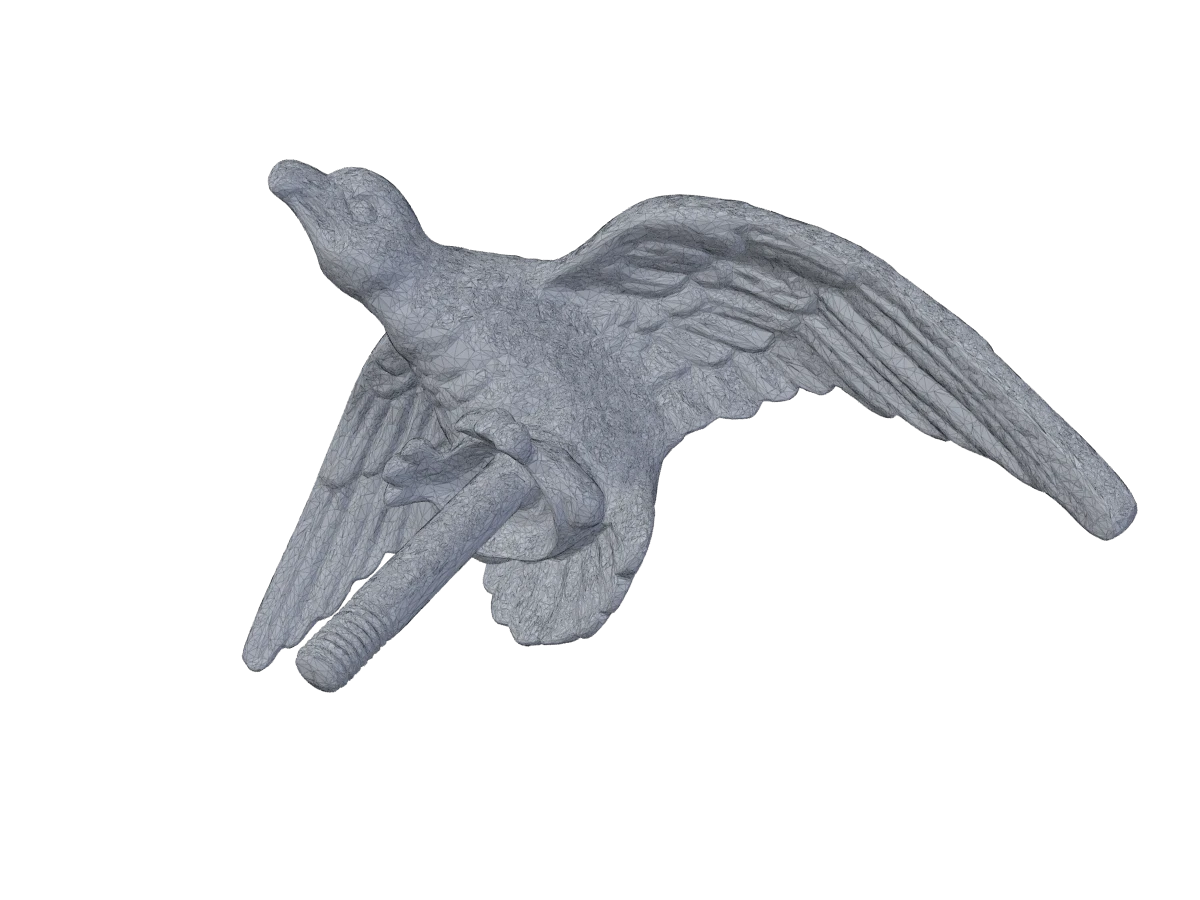 Before
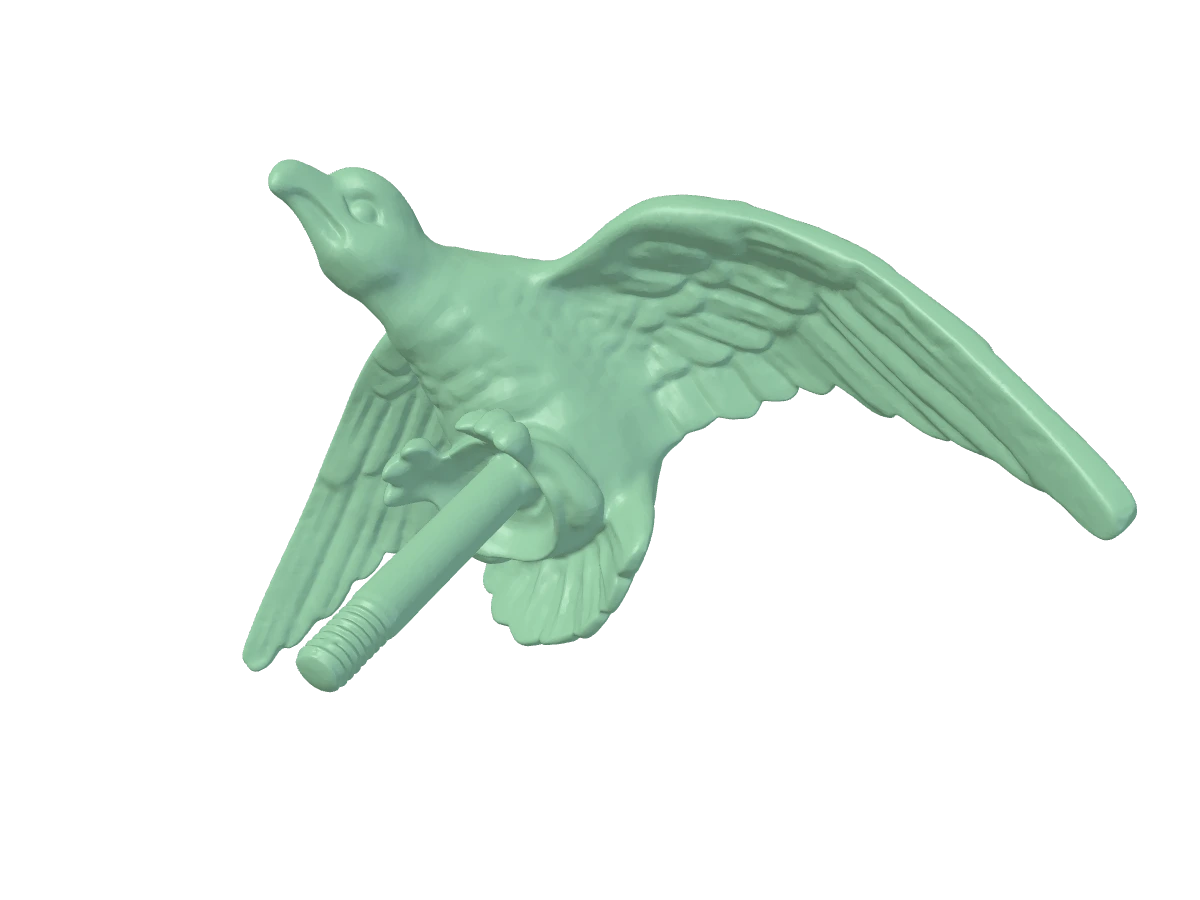 After
What Bambu Lab has confirmed about the S1
| Question | Status on 26 October 2026 |
|---|---|
| What it is | A handheld 3D scanner, the first from Bambu Lab |
| Launch | November 2026, with no day announced |
| Scan software and computer needs | Not announced |
| Export formats | Not announced |
| STEP or CAD export | Not announced |
| Specifications and price | Not announced |
From the Bambu Lab announcement of 12 October 2026, checked on 26 October 2026. We update this page when Bambu Lab publishes the specifications.
What a scanner gives you
A 3D scanner measures the surface of a part and gives you a mesh: triangles that follow the shape. That is enough to print a copy, but not to design around the part. Your CAD needs surfaces and solids, which is what a STEP file holds. See STL vs STEP for the difference.
The scan software of the consumer scanners we checked from other makers exports meshes, not STEP: see what each 3D scanner exports. Whether the S1 follows that pattern is not known yet.
Why you would want a STEP from a scan
A mesh prints. A STEP lets you design with the part.
Design a part that fits
A mount, a case or a replacement cover that has to fit a scanned object. You model it in CAD against the scanned shape.
Change the part
Cut a hole, add a boss or thicken a wall. In a STEP solid you add and cut; in a mesh you push triangles.
Have it made
A machine shop works from surfaces and solids, not triangles. See can you CNC machine an STL file.
From a scan to STEP, once you have the S1
Export a mesh
STL, OBJ, PLY, 3MF and AMF are read. If the S1 software exports a point cloud as well, pick the mesh.
Remove what is not the part
Cut away the table, the turntable and any fixture that was scanned with the part.
Upload it and pick the mode
A whole object converts as a Closed part and gives a solid. A scan of one side gives an Open surface. CAD part is meant for meshes from CAD software, not for scans.
Check the result and download
You see the result in 3D next to your mesh, with a map of how far it departs and its maximum deviation. Viewing is free at every quality.
Bambu Studio, 3MF and STEP
If you print with Bambu Studio, many of your parts already live in 3MF project files. OperGo Surface reads 3MF too, so a part you only have as a print file can become a STEP as well: see 3MF to STEP.
The way back works too: Bambu Studio imports STEP files and turns them into a mesh to slice, according to the Bambu Lab wiki. A part you redesign in CAD from a scan prints from the same STEP you edited.
Questions about Bambu Lab S1 scan to STEP
Will the Bambu Lab S1 export STEP?
Bambu Lab has not said. It has not published the export formats of the S1 yet. We will update this page when it does.
When does the Bambu Lab S1 come out?
Bambu Lab announced it for November 2026, without a day.
Can I convert scans from other scanners now?
Yes. A mesh from any of the scanners in our 3D scanner guide converts the same way, as long as it is an STL, OBJ, PLY, 3MF or AMF file.
How accurate is a STEP made from a scan?
It follows your mesh, and you see how far before you download: a map in 3D and the maximum deviation. The mesh is only as accurate as the scan, so measure the dimensions that matter on the real part.
Is OperGo part of Bambu Lab?
No. Bambu Lab and its product names belong to their owner, and OperGo is not affiliated with it.
Related guides
3D scanner to STEP
3D scanner to STEP: scan software exports a mesh, not a STEP. What Revopoint, Creality, Shining 3D, 3DMakerpro and phone apps export, and how to convert it.
3D scan to CAD
3D scan to CAD in plain terms: what a scanner gives you, which mode fits your scan, how to prepare it, and how to check the STEP you get.
3MF to STEP
Convert 3MF to STEP online. Upload your 3MF file, check the result in 3D against your mesh, and download a STEP your CAD can open.
STL vs STEP
STL vs STEP: an STL is a list of triangles that describes only the surface shape; a STEP holds exact surfaces and solids a CAD can measure and edit.
STL to solid in Fusion 360
Fusion 360 mesh to solid: convert an STL with Convert Mesh, pick the right method, and fix the usual failures (surface body, compute failed).
Convert STL to STEP
Convert STL to STEP online. Smooth surfaces, and exact planes and cylinders on CAD parts, not one flat face per triangle. Check the result before downloading.
Put a scan to the test
Upload a scan mesh and see the result in 3D next to it. Viewing is free at every quality.